Transfer Heart Rate

Apple Watch → iPhone → Bluetooth

Your Watch.Your training.

Put the heart rate from your Apple Watch on your training screen. With a compatible connection, you may not need to buy a separate heart-rate sensor.

View on the App Store

First release awaiting Apple review.

All features free. No subscription.

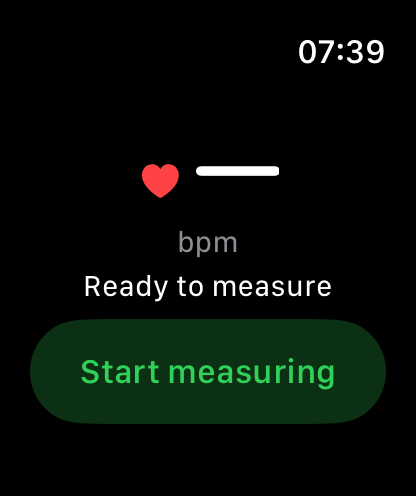
Apple Watch — Transfer Heart Rate

Actual app screens, ready to start measuring.

One less thing to prepare.

You already wear your Watch. Use its heart rate for indoor cycling and the cycling part of your triathlon training, without another sensor to put on.

Ready in three steps.

  1. Start measuring on Apple Watch.
  2. Enable broadcasting on iPhone.
  3. Connect the David HR sensor in your compatible training app.

Made for compatible Bluetooth training apps.

Uses the standard Bluetooth LE Heart Rate Service, including compatible Garmin Tacx setups. Requires iPhone with iOS 17+ and a paired Apple Watch with watchOS 10+. Keep the iPhone app open and unlocked while connecting and training.

Compatibility depends on your receiver. Some receivers need a new search after an update. Simultaneous use with Apple Workout is not supported. No ANT+ or trainer resistance control. Fitness use, not medical diagnosis.

Your pulse stays out of the developer’s cloud.

No registration. No heart-rate readings sent to the developer. You choose when to measure and broadcast. Broadcasting makes your heart rate available to nearby compatible Bluetooth receivers. Apple and receiving apps follow their own data policies.

Privacy ↗

Free to use. Optional to support.

Every feature is available without payment. The heart button offers three optional one-time tips through Apple, plus a supported custom total. Tips unlock nothing. Prices and currency come from Apple.